Adobe Firefly Quick Cut Wants to Replace Your Video Editor — But Should It?
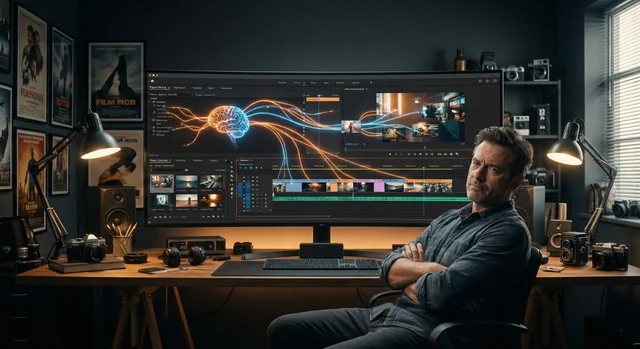
Adobe has added a new feature called Quick Cut to its Firefly video editor that uses AI to automatically create a first draft of a video from raw footage. It sounds impressive on paper, but the reality is more complicated than the marketing suggests.
What Quick Cut Actually Does
Quick Cut lets users describe what they want their video to be in natural language, and the tool will automatically edit out irrelevant parts of footage, arrange different takes, and use B-roll for transitions. Users can specify settings like aspect ratio and pacing through a prompt box, and apply Quick Cut to an entire project, a particular timeline, or selected clips.
Users can also pick frames from B-roll and use one of Firefly's video models to create short AI-generated transitions between cuts.
The "First Draft" Qualifier
Here's where things get interesting. Adobe itself is careful to stress that Quick Cut delivers a "first draft" — meaning editors will still need to adjust elements, paste takes together, and work on transitions to assemble the final video. This is an important caveat that often gets lost in the AI hype cycle.
"As we talk to our users, who are creators and marketers, the biggest problem they actually communicate is the need for fast turnaround, the need for time-saving techniques that just let them get to their creative vision as fast as possible," said Mike Folgner, Adobe's product lead for AI and next-generation video tools.
Solving the Wrong Problem?
Folgner frames Quick Cut as solving "mundane" editing tasks — like getting selects in order — that aren't where editors "find joy." But here's the skeptical take: the "mundane" parts of video editing are often where craft lives. The difference between a mediocre video and a great one is frequently in the subtle timing of cuts, the specific choices about which take to use, and the precise moment to transition.
An AI that optimizes for efficiency might strip away exactly the decision-making process that makes professional editing valuable. If Quick Cut handles the "boring" part, what happens when clients realize the boring part was actually the skill they were paying for?
Part of a Larger Push
Quick Cut follows a series of AI-powered video updates from Adobe. In December, the company rolled out a timeline-based video editor with layers and prompt-based editing. It also added capabilities for users to tell the video model how to edit video elements, colors, and camera angles using natural language prompts.
Adobe is clearly racing to keep up with the explosion of AI video tools. From Runway to Pika to Google's Veo, the market for AI-assisted video creation is getting crowded fast. Quick Cut positions Firefly as not just a generation tool but an editing assistant — which is smart positioning, even if the execution remains to be proven.
The Bottom Line
Quick Cut is a logical feature for Adobe to build, and it will probably save time for marketers and social media creators who need to churn out content quickly. But for professional editors who pride themselves on craft, having AI create the "first draft" might feel less like an assistant and more like a threat to the skills that took years to develop. Adobe's careful "first draft" language suggests even they know this tool isn't ready to replace human judgment — at least not yet.