5 Ways to Tracking Someone's iPhone Without Them Knowing
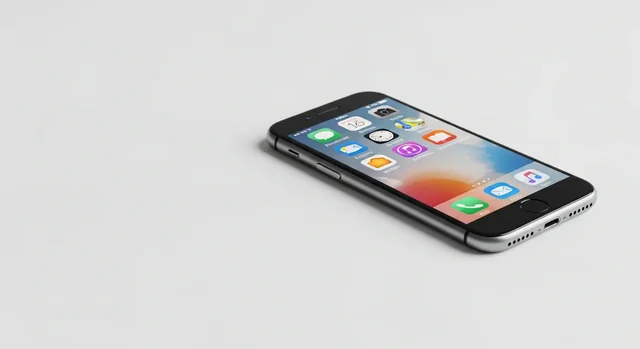
In 2025, tracking an iPhone has become more regulated and privacy-focused than ever before. With increasing legal scrutiny around digital surveillance and Apple's enhanced privacy features, it's crucial to understand the legal and ethical methods available for iPhone tracking. This comprehensive guide covers legitimate ways to track iPhones while respecting privacy laws and personal boundaries.
Whether you're a parent concerned about your child's safety, caring for an elderly family member, or need to locate a lost device, there are several Apple-approved and legally compliant solutions available. However, it's essential to understand the legal limitations, age restrictions, and consent requirements before implementing any tracking solution.
Legal Framework for iPhone Tracking in 2025
Before exploring tracking methods, it's critical to understand the legal landscape. In 2025, digital privacy laws have become stricter worldwide, with regulations like GDPR in Europe, CCPA in California, and federal COPPA compliance in the United States governing how personal data can be collected and used.
Related: What is Sanchar Saathi App? Complete Guide to India's New Mandatory Phone Security App.
Key Legal Considerations:
- Parental Rights: Parents can legally track children under 13 without explicit consent under COPPA
- Teen Limitations: Children 13+ have increased privacy rights and can disable most tracking features
- Adult Consent: Tracking adults without explicit consent is illegal in most jurisdictions
- Employee Tracking: Requires clear policies and consent for company-issued devices
- Regional Variations: Laws vary significantly by country and state
1. Apple's Find My App - The Gold Standard for Legal Tracking
Apple's native Find My app remains the most secure and legally compliant method for iPhone tracking in 2025. With end-to-end encryption and built-in privacy controls, it's designed to balance safety with privacy rights.
Key Features:
- End-to-end encrypted location sharing
- Temporary location sharing options
- Lost Mode for missing devices
- Offline finding using the Find My network
- Sound alerts for nearby devices
- Remote device wiping capabilities
How to Set Up Find My Tracking:
- Open Settings on the target iPhone
- Tap on your Apple ID at the top
- Select "Find My"
- Enable "Find My iPhone" and "Share My Location"
- Choose who can see the device location
- Set up family sharing if tracking family members
Privacy Note: Users 13+ can disable location sharing at any time, and they receive notifications when their location is being shared.
2. Family Sharing and Parental Controls
Apple's Family Sharing feature provides comprehensive tracking and management tools for families, with built-in age-appropriate restrictions that comply with COPPA regulations.
Family Sharing Benefits:
- Automatic location sharing for family members
- Shared purchases and subscriptions
- Ask to Buy approval for children's purchases
- Screen Time management across devices
- App and content restrictions
Age-Based Limitations:
| Age Group | Tracking Capabilities | User Control |
|---|---|---|
| Under 13 | Full parental tracking without consent | No disable options |
| 13-17 | Limited tracking with notifications | Can request to disable |
| 18+ | Consent-based only | Full control |
3. Screen Time Parental Controls
Screen Time has evolved into a comprehensive parental control system that includes location monitoring capabilities alongside usage tracking.
2025 Screen Time Features:
- Real-time location reporting
- App usage monitoring
- Content and privacy restrictions
- Downtime scheduling
- Communication limits
- Always Allowed apps configuration
Screen Time data is encrypted and stored securely on Apple's servers, with parents receiving weekly reports about their child's device usage and location patterns.
4. Life360 - Comprehensive Family Safety Platform
Life360 remains one of the most popular third-party family tracking solutions in 2025, offering features beyond basic location sharing.
Life360 Features:
- Real-time family member locations
- Driving behavior monitoring
- Crash detection and emergency response
- Location history and check-ins
- Geofencing with custom alerts
- Roadside assistance (premium plans)
2025 Pricing Structure:
- Basic Plan: Free - Basic location sharing for up to 2 circles
- Silver Plan: $7.99/month - Advanced features for unlimited circles
- Gold Plan: $17.99/month - Premium safety features and roadside assistance
- Platinum Plan: $27.99/month - Full safety suite with identity protection
Privacy Compliance: Life360 requires explicit consent from users 13+ and provides transparency reports about data usage.
5. Google Family Link (For Mixed Device Families)
While primarily designed for Android, Google Family Link now offers enhanced iPhone support for families using mixed device ecosystems.
Family Link iPhone Features:
- Location tracking for children under 13
- App approval and time limits
- Device lock and bedtime controls
- Activity reports
- Safe search enforcement
Family Link is free to use but has limited functionality on iOS compared to Android devices due to Apple's privacy restrictions.
For more details, check out our guide on The Ultimate Guide to the Best Android Emulators in 2025: Gaming and Apps Without Limits.
Ethical Use Cases for iPhone Tracking
Understanding when iPhone tracking is appropriate and ethical is crucial for responsible use:
Legitimate Use Cases:
- Child Safety: Monitoring children under 13 for safety purposes
- Elderly Care: Tracking elderly family members with dementia or mobility issues
- Lost Device Recovery: Locating stolen or misplaced personal devices
- Family Coordination: Consensual sharing for family logistics and safety
- Emergency Situations: Locating family members during emergencies
Unethical and Illegal Uses:
- Tracking adults without their knowledge or consent
- Stalking or harassment
- Corporate espionage
- Tracking employees on personal devices
- Any surveillance that violates local privacy laws
Regional Legal Considerations
iPhone tracking legality varies significantly by region. Here's a breakdown of key jurisdictions:
United States:
Federal laws like COPPA govern tracking of children under 13. State laws vary, with California's CCPA providing additional privacy protections. Parental rights are generally recognized for minor children.
European Union:
GDPR provides strict data protection rules. Parental consent is required for children under 16 (varies by member state). Legitimate interest must be demonstrated for any tracking.
Canada:
PIPEDA governs personal information protection. Provincial laws may provide additional restrictions. Parental rights are recognized but with age-appropriate limitations.
Related: 6 Best Privacy Apps to Have on Your Smartphone.
Australia:
Privacy Act 1988 governs data collection. Parental consent required for children under 13. State laws may provide additional protections.
Privacy and Security Best Practices
When implementing iPhone tracking, follow these security guidelines:
- Use only Apple-approved or reputable third-party applications
- Enable two-factor authentication on all accounts
- Regularly review and update privacy settings
- Educate family members about location sharing
- Respect age-appropriate privacy boundaries
- Keep tracking software updated
- Use strong, unique passwords for tracking accounts
Warning: Illegal Surveillance Risks
Important Legal Warning: Installing tracking software on someone's iPhone without their knowledge or consent is illegal in most jurisdictions and can result in:
- Criminal charges for stalking or harassment
- Civil liability for invasion of privacy
- Restraining orders
- Fines and potential imprisonment
- Employment termination
Always consult with legal professionals before implementing any tracking solution, especially in sensitive situations involving custody disputes or workplace monitoring.
Comparison Table: Legal iPhone Tracking Solutions
| Solution | Cost | Age Restrictions | Key Features | Privacy Level |
|---|---|---|---|---|
| Find My | Free | 13+ can disable | Basic location, lost mode | Highest |
| Family Sharing | Free | COPPA compliant | Comprehensive family features | High |
| Screen Time | Free | Under 18 | Usage + location monitoring | High |
| Life360 | Free-$27.99/mo | 13+ notifications | Advanced safety features | Medium |
| Google Family Link | Free | Under 13 primarily | Limited iOS functionality | Medium |
Frequently Asked Questions
1. Can I legally track my 16-year-old's iPhone without telling them?
This depends on your jurisdiction and the method used. While parents generally have legal authority over minor children, many regions require notification to teens 13+. Apple's built-in systems provide notifications when location sharing is active. Consult local laws and consider having an open conversation about safety concerns.
2. Is it illegal to track my spouse's iPhone?
Yes, tracking an adult spouse without their explicit consent is illegal in most jurisdictions and could constitute stalking or harassment. Healthy relationships require open communication about safety concerns rather than secret surveillance.
You might also be interested in Moto G35 5G Smartphone Detailed Specifications.
3. Can my employer track my personal iPhone?
No, employers cannot legally install tracking software on personal devices without explicit written consent. However, they can track company-issued devices with proper policies and notifications.
4. What happens when my child turns 13 regarding tracking?
At 13, children gain increased privacy rights under most laws. Apple's systems begin providing notifications about location sharing, and teens can request to disable tracking. Many parents transition to consent-based tracking at this age.
5. Are free iPhone tracking apps safe to use?
Only use Apple's built-in tracking features or reputable apps from known companies. Many "free" tracking apps are scams that steal personal data or install malware. Stick to Apple's App Store and research any third-party solutions thoroughly.
6. Can I track a lost iPhone if Find My wasn't enabled?
Unfortunately, if Find My wasn't enabled before the device was lost, Apple cannot track it remotely. This is why it's crucial to enable Find My immediately when setting up any new iPhone.
7. How accurate is iPhone location tracking in 2025?
Modern iPhones can provide location accuracy within 3-5 meters under ideal conditions using GPS, Wi-Fi, and cellular triangulation. Indoor accuracy may be reduced to 10-20 meters depending on available signals.
8. Can someone track my iPhone without me knowing?
Apple's 2025 privacy features make it very difficult to track an iPhone without the user's knowledge. The system provides notifications for location sharing, and most legitimate tracking requires some form of setup on the device itself.
9. What should I do if I discover unauthorized tracking on my iPhone?
Immediately check Settings > Privacy & Security > Location Services to review which apps have location access. Remove any unauthorized apps, change your Apple ID password, enable two-factor authentication, and consider contacting law enforcement if you suspect illegal surveillance.
10. Is Life360 worth the premium subscription in 2025?
Life360's premium features like crash detection, roadside assistance, and identity protection can provide value for families prioritizing comprehensive safety features. However, Apple's free Family Sharing may be sufficient for basic location sharing needs.
For more details, check out our guide on Best Android Emulators to Run Android Apps on PC.
Remember that iPhone tracking should always prioritize safety, respect privacy rights, and comply with applicable laws. When in doubt, choose transparency and consent over secretive surveillance, and always consult legal professionals for complex situations involving custody, employment, or relationship disputes.