Unlocking Your Time: The Power of iPhone Countdown & Reminder Apps
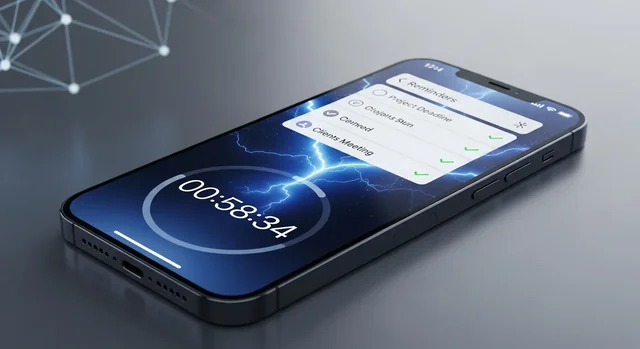
Time management has evolved dramatically in 2025, and your iPhone has become the ultimate companion for staying organized and motivated. Whether you're counting down to a dream vacation, tracking project deadlines, or celebrating personal milestones, the right countdown and reminder apps can transform how you experience time itself. Gone are the days of generic calendar entries – today's apps offer stunning visuals, intelligent notifications, seamless device synchronization, and features that turn waiting into anticipation.
The modern countdown app ecosystem has matured significantly, with developers focusing on user experience, cross-platform integration, and personalization. From minimalist timers to feature-rich event managers, these apps cater to every personality and need. Let's explore the best iPhone countdown and reminder apps that are defining productivity and time awareness in 2025.
Why Advanced Countdown Apps Are Essential in 2025
The psychological benefits of visual time tracking have been extensively documented, and 2025's apps leverage this science brilliantly. Modern countdown apps don't just tell you when something will happen – they create emotional connections to your future events. Research shows that visual countdowns increase goal achievement rates by up to 42% compared to traditional calendar reminders.
See also: Best Free iPad Apps in 2025: Essential Apps for Productivity, Creativity & More.
Today's apps integrate seamlessly with iOS 18's enhanced widget system, Apple Watch Series 10, and the new StandBy mode, ensuring your countdowns are always visible and engaging. They've also embraced AI-powered suggestions, automatic event detection from messages and emails, and collaborative features that let you share countdowns with family and friends.
The 10 Best iPhone Countdown & Reminder Apps for 2025
1. Countdown Star – The Visual Powerhouse
Countdown Star has revolutionized the countdown experience with its stunning visual approach to time tracking. The app transforms your most important events into beautiful, customizable displays that work seamlessly across all your Apple devices.
Key Features:
- Ultra-high resolution backgrounds with seasonal auto-updates
- Advanced widget customization for iOS 18 home and lock screens
- Apple Watch Series 10 complications with haptic countdowns
- iCloud sync with real-time collaboration features
- AI-powered event suggestions from your digital footprint
- Precision timing down to milliseconds for critical events
Pricing: Free with basic features, Premium at $4.99/month or $39.99/year includes unlimited countdowns, premium themes, and advanced sharing options.
2. DayCount – The Minimalist's Choice
For users who appreciate clean design and straightforward functionality, DayCount delivers an elegant countdown experience without overwhelming features. Its 2025 update introduced significant performance improvements and new customization options.
Key Features:
- Clean, distraction-free interface with focus on essential information
- Smart categorization with color-coded event types
- Flexible notification system with gentle reminders
- Export capabilities to share countdowns via social media
- Offline functionality for uninterrupted access
- Integration with Shortcuts app for automation
Pricing: $2.99 one-time purchase with all features included, no subscription required.
3. Countdown Buddy – The Social Experience
Countdown Buddy transforms solitary waiting into shared excitement by emphasizing collaborative countdown experiences. Perfect for families, couples, and teams tracking shared milestones.
Key Features:
- Real-time shared countdowns with multiple participants
- Group chat integration within countdown events
- Photo and memory sharing as events approach
- Milestone celebrations with custom notifications
- Privacy controls for personal vs. shared events
- Cross-platform compatibility with Android users
Pricing: Free for up to 3 shared countdowns, Pro version at $6.99/month includes unlimited sharing, premium themes, and advanced collaboration tools.
4. Pretty Progress – The Aesthetic Champion
Pretty Progress elevates countdown apps to an art form, offering the most visually stunning and customizable interface available. Each countdown becomes a personalized masterpiece that reflects your style and personality.
Key Features:
- Designer-quality themes updated monthly
- Custom typography with 200+ font options
- Advanced color palette tools with hex code support
- Animated backgrounds and particle effects
- Professional photo integration and editing tools
- Template marketplace with community creations
Pricing: Free version with basic themes, Premium at $7.99/month or $59.99/year unlocks all themes, fonts, and customization tools.
5. Time Fill – The Productivity Integrator
Time Fill bridges the gap between countdown tracking and productivity management, offering unique features that help you make the most of waiting periods and prepare effectively for upcoming events.
Key Features:
- Task suggestions based on remaining time until events
- Integration with popular productivity apps (Todoist, Notion, Asana)
- Preparation checklists with smart reminders
- Time blocking features for optimal event preparation
- Analytics dashboard showing time utilization patterns
- Focus mode integration with Screen Time controls
Pricing: $4.99/month or $49.99/year with 14-day free trial, includes all productivity features and unlimited integrations.
6. Countdown+ Calendar – The All-in-One Solution
Countdown+ Calendar combines powerful countdown functionality with comprehensive calendar management, creating a unified time management experience that eliminates the need for multiple apps.
Key Features:
- Integrated calendar view with countdown overlays
- Smart event detection from email and messages
- Multi-calendar sync (Google, Outlook, iCloud)
- Weather integration for outdoor events
- Travel time calculations with real-time traffic data
- Recurring countdown support for regular events
Pricing: Free with basic features, Pro version at $3.99/month includes unlimited calendars, premium widgets, and advanced integrations.
Related: 4 Best YouTube Downloader Apps for Android.
7. Event Countdown – The Feature-Rich Powerhouse
Event Countdown packs more features than any other app in this category, making it ideal for power users who want maximum control and customization over their countdown experience.
Key Features:
- Multiple countdown formats (days, hours, work days, etc.)
- Advanced notification scheduling with custom messages
- Backup and restore functionality
- Apple Watch app with independent functionality
- Siri integration for voice-activated countdowns
- CSV export for data analysis and archiving
Pricing: $1.99 base app, additional feature packs available for $0.99-$2.99 each, or complete bundle for $8.99.
8. Moments – The Memory Keeper
Moments focuses on the emotional aspect of countdowns, helping users create lasting memories around their most important events while providing practical countdown functionality.
Key Features:
- Integrated photo and video journaling
- Memory timeline creation leading up to events
- Automatic photo compilation upon event completion
- Social sharing with privacy controls
- Voice note integration for audio memories
- Anniversary and recurring celebration tracking
Pricing: Free for basic features, Premium at $5.99/month includes unlimited storage, premium editing tools, and advanced sharing options.
9. Quick Countdown – The Speed Champion
Designed for users who need to create countdowns quickly and efficiently, Quick Countdown prioritizes speed and simplicity without sacrificing essential features.
Key Features:
- One-tap countdown creation
- Smart date recognition from text input
- Batch countdown creation
- Lightning-fast app launch times
- Essential widgets for immediate access
- Minimal battery usage optimization
Pricing: $0.99 one-time purchase with all features included.
10. Countdown Hub – The Organization Master
Countdown Hub excels at managing large numbers of countdowns with sophisticated organization and filtering systems, perfect for professionals and busy individuals tracking multiple projects and events.
Key Features:
See also: Zoho Writer Updates: How the New Mobile Features Transform On-the-Go Productivity.
- Advanced tagging and categorization system
- Smart filters and search functionality
- Bulk operations for countdown management
- Priority levels with visual indicators
- Team workspace features for professional use
- Detailed analytics and reporting tools
Pricing: Free for personal use (up to 10 countdowns), Professional at $9.99/month includes unlimited countdowns, team features, and advanced analytics.
Comprehensive Comparison Table
| App Name | Price | Widget Support | Apple Watch | iCloud Sync | Collaboration | Best For |
|---|---|---|---|---|---|---|
| Countdown Star | Free/$39.99/year | Advanced | Yes | Yes | Yes | Visual appeal |
| DayCount | $2.99 | Basic | Yes | Yes | No | Simplicity |
| Countdown Buddy | Free/$6.99/month | Standard | Yes | Yes | Advanced | Sharing |
| Pretty Progress | Free/$59.99/year | Beautiful | Yes | Yes | Basic | Customization |
| Time Fill | $49.99/year | Smart | Yes | Yes | No | Productivity |
| Countdown+ Calendar | Free/$3.99/month | Integrated | Yes | Yes | Basic | Calendar integration |
| Event Countdown | $1.99 + extras | Advanced | Independent | Yes | No | Power users |
| Moments | Free/$5.99/month | Photo-rich | Yes | Yes | Social | Memory keeping |
| Quick Countdown | $0.99 | Essential | Basic | Yes | No | Speed |
| Countdown Hub | Free/$9.99/month | Professional | Yes | Yes | Team-focused | Organization |
Essential Features to Consider in 2025
Home Screen and Lock Screen Widgets
iOS 18's enhanced widget system allows for more interactive and informative countdown displays directly on your home and lock screens. Look for apps that offer multiple widget sizes, customizable information density, and real-time updates without requiring you to open the app.
Apple Watch Integration
The Apple Watch Series 10's improved display and processing power enable more sophisticated countdown complications and standalone functionality. The best apps offer independent Apple Watch experiences that don't require your iPhone to be nearby.
iCloud Synchronization
Seamless sync across all your Apple devices ensures your countdowns are always up-to-date, whether you're using your iPhone, iPad, Mac, or Apple Watch. This feature is essential for users invested in the Apple ecosystem.
Intelligent Notifications
Smart notification systems adapt to your behavior patterns and preferences, delivering reminders at optimal times without overwhelming you. Look for apps that offer granular control over notification frequency and timing.
Choosing the Right App for Your Needs
For Visual Appeal: Choose Countdown Star or Pretty Progress if you want your countdowns to be as beautiful as they are functional. These apps excel at creating emotionally engaging visual experiences.
For Simplicity: DayCount and Quick Countdown are perfect for users who want straightforward functionality without feature bloat or complex interfaces.
For Collaboration: Countdown Buddy leads in shared experiences, while Countdown Hub offers professional team features for workplace countdown management.
For Productivity: Time Fill uniquely bridges countdown tracking with productivity enhancement, making it ideal for goal-oriented users.
For Comprehensive Features: Event Countdown and Countdown+ Calendar provide the most extensive feature sets for power users who want maximum control and flexibility.
Maximizing Your Countdown App Experience
To get the most value from your chosen countdown app, consider these optimization strategies:
See also: Best Google Docs Alternatives: Top Free & Paid Options for 2025.
Strategic Widget Placement: Position your most important countdowns on your lock screen for immediate visibility, and use home screen widgets for secondary events.
Notification Timing: Set up multiple notification intervals for important events – perhaps at one month, one week, one day, and one hour before.
Category Organization: Use consistent categorization systems to keep your countdowns organized and easily filterable.
Regular Review: Periodically review and clean up completed or irrelevant countdowns to maintain a focused, relevant list.
The Future of Countdown Apps
As we progress through 2025, countdown apps are incorporating more AI-driven features, improved cross-platform compatibility, and deeper integration with emerging technologies. Expect to see enhanced AR experiences, voice-first interactions, and more sophisticated predictive features that anticipate your countdown needs.
The trend toward mindful technology use is also influencing app development, with features designed to reduce anxiety and increase positive anticipation becoming standard across the category.
Frequently Asked Questions
Do countdown apps drain iPhone battery significantly?
Modern countdown apps are optimized for minimal battery usage. Most use efficient background refresh techniques and only update displays when necessary. Apps like Quick Countdown are specifically designed for minimal battery impact.
Can I use countdown apps offline?
Yes, most countdown apps work offline for basic functionality. However, features like iCloud sync, shared countdowns, and automatic event detection require internet connectivity.
Which apps work best with Apple Watch Series 10?
Countdown Star, Event Countdown, and Pretty Progress offer the most sophisticated Apple Watch experiences, with independent functionality and optimized complications for the Series 10's display.
Are there free alternatives that don't compromise on features?
DayCount offers excellent value as a one-time purchase, while Countdown+ Calendar and Countdown Buddy provide substantial free tiers. However, premium features typically require paid subscriptions.
How do shared countdowns work for privacy?
Apps like Countdown Buddy and Moments offer granular privacy controls, allowing you to choose which countdowns to share and with whom. You maintain full control over your personal events.
Can countdown apps integrate with my existing calendar system?
Yes, apps like Countdown+ Calendar and Time Fill offer robust integration with Google Calendar, Outlook, and iCloud Calendar, automatically syncing events and countdowns.
What's the difference between countdown and reminder apps?
Countdown apps focus on visualizing time remaining until events, while reminder apps emphasize notifications and task management. Many modern apps combine both functionalities.
Do these apps support recurring countdowns?
Most apps support recurring countdowns for events like birthdays, anniversaries, and regular meetings. Countdown+ Calendar and Event Countdown excel in this area.
How accurate are the countdown timers?
All recommended apps maintain high accuracy, with some like Countdown Star offering millisecond precision for critical timing needs.
Can I export my countdown data?
Event Countdown and Countdown Hub offer comprehensive export options, while most other apps provide basic sharing and backup functionality through iCloud.
Final Recommendations
The countdown app landscape in 2025 offers something for everyone, from minimalist timers to feature-rich event management systems. For most users, we recommend starting with Countdown Star for its excellent balance of visual appeal, functionality, and cross-device integration. Its free tier provides substantial value, and the premium features justify the subscription cost for serious users.
For budget-conscious users, DayCount offers exceptional value with its one-time purchase model and clean, efficient design. Teams and families should consider Countdown Buddy for its collaborative features, while productivity enthusiasts will find Time Fill uniquely valuable for its task integration capabilities.
Remember that the best countdown app is the one you'll actually use consistently. Consider your specific needs, aesthetic preferences, and budget when making your choice. Many apps offer free trials or free tiers, so don't hesitate to experiment with multiple options before settling on your perfect countdown companion.
For more details, check out our guide on Top 8 Best Apps and Addons for Email in iOS - Alternatives to the Regular Mail App.
The goal isn't just to track time – it's to transform your relationship with upcoming events, turning anxiety into anticipation and helping you make the most of every moment leading up to what matters most in your life.