Best Free iPad Apps in 2025: Essential Apps for Productivity, Creativity & More
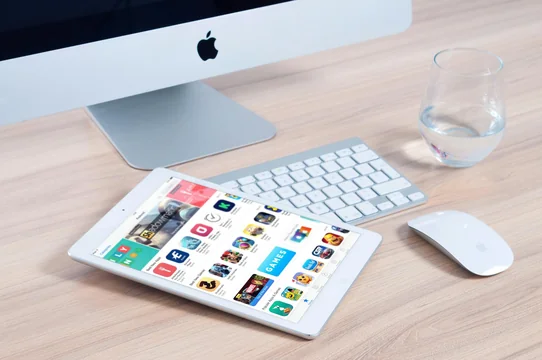
The Ultimate Guide to the Best Free iPad Apps in 2025
The iPad has evolved into a powerhouse device that can genuinely replace laptops for many users. With iPadOS 18 bringing advanced multitasking capabilities and Apple Intelligence features, the right apps can transform your iPad into the ultimate productivity and creativity tool. This comprehensive guide covers the must-have free apps of 2025 that cater to every need—from work to entertainment.
Productivity Apps
Apple iWork Suite (Pages, Numbers, Keynote)
- Price: Free
- Pros: Native Apple integration, iCloud sync across all devices, compatible with Microsoft Office formats, intuitive interface
- Cons: Fewer advanced features compared to Microsoft Office, limited online collaboration tools
Apple's iWork suite remains the gold standard for free productivity apps on iPad. Pages handles document creation, Numbers manages spreadsheets, and Keynote delivers stunning presentations. The seamless iCloud integration means your work is always accessible across all your Apple devices.
Microsoft 365 (Word, Excel, PowerPoint)
- Price: Free (basic editing); Premium from $6.99/month
- Pros: Industry-standard compatibility, OneDrive integration, real-time collaboration, familiar interface
- Cons: Premium subscription required for advanced features, occasional sync delays
For those who need full Microsoft Office compatibility, the free versions of Word, Excel, and PowerPoint allow viewing and basic editing. Premium subscribers unlock advanced features like desktop-class editing tools.
Notion
- Price: Free (personal use); Plus from $10/month
- Pros: Highly customizable workflows, databases, wikis, and project management in one app
- Cons: Steep learning curve, can feel overwhelming for simple tasks
Notion is a powerhouse for creating structured workflows, managing projects, and organizing your digital life. Its flexibility makes it suitable for everything from simple note-taking to complex team wikis.
GoodNotes 6
- Price: Free (3 notebooks); Full version $11.99/year
- Pros: Exceptional Apple Pencil support, handwriting recognition, PDF annotation, AI-powered search
- Cons: Limited free tier, subscription required for unlimited notebooks
GoodNotes remains one of the most popular note-taking apps for iPad users who prefer handwritten notes. The free tier allows three digital notebooks—perfect for trying before committing.
Notability
- Price: Free; Premium from $7.99/month
- Pros: Audio recording synced with notes, immersive writing experience, powerful organization
- Cons: Premium features require subscription, AI features cost extra
Notability excels at combining handwritten notes with audio recordings, making it invaluable for students and professionals attending lectures or meetings.
TickTick
- Price: Free; Premium $3.99/month
- Pros: Advanced task management, habit tracking, calendar integration, cross-device sync
- Cons: Premium required for advanced features, can be complex for simple to-do lists
TickTick offers comprehensive task management with features like recurring tasks, attachments, and collaborative task lists—all in the free tier.
Creativity Apps
Sketchbook by Autodesk
- Price: Free
- Pros: Professional-grade drawing tools, optimized for Apple Pencil, exports to PSD/JPEG/PNG/TIFF, works offline
- Cons: No cloud backup in free version, limited layer options
Sketchbook delivers a paper-like drawing experience with professional tools. It's completely free and perfect for both casual sketching and detailed illustrations.
Canva
- Price: Free; Pro $12.99/month
- Pros: Thousands of templates, drag-and-drop interface, AI design tools, brand kits
- Cons: Premium templates locked behind subscription, watermarks on some Pro elements
Canva democratizes design with its intuitive interface. Create social media graphics, presentations, posters, and more using thousands of free templates.
Procreate Pocket
- Price: $12.99 (one-time purchase)
- Pros: Industry-leading digital art tools, extensive brush library, animation features, no subscription
- Cons: Paid app, requires learning time for advanced features
While not free, Procreate deserves mention as the iPad's premier digital art app. The one-time purchase with no subscription makes it excellent value.
Entertainment & Media
YouTube
- Price: Free; Premium $13.99/month
- Pros: Endless content variety, personalized recommendations, picture-in-picture support
- Cons: Ads on free tier, offline viewing requires Premium
YouTube's iPad app offers optimized browsing with large thumbnails and smooth playback. Premium subscribers enjoy ad-free viewing and background playback.
VLC Media Player
- Price: Free
- Pros: Plays virtually any video format, open source, no ads, subtitle support, network streaming
- Cons: Basic interface, occasional codec issues with obscure formats
VLC is the ultimate video player, handling nearly any file format you throw at it. It's free, ad-free, and essential for media enthusiasts.
Spotify
- Price: Free (with ads); Premium $11.99/month
- Pros: Massive music library, personalized playlists, podcast integration, cross-device sync
- Cons: Shuffle-only playback on free tier, audio ads
Spotify offers millions of songs and podcasts. The free tier includes shuffle playback with occasional ads, while Premium unlocks on-demand listening.
Apple Podcasts
- Price: Free
- Pros: Native Apple integration, offline downloads, sleep timer, CarPlay support
- Cons: Limited social features, discovery could be improved
The built-in Podcasts app handles your podcast needs with automatic downloads, syncing across devices, and a clean interface.
News & Information
Apple News
- Price: Free; News+ $12.99/month
- Pros: Curated news from hundreds of sources, personalized feed, offline reading
- Cons: Some publications leaving the platform, News+ required for premium content
Apple News aggregates content from hundreds of sources into a personalized feed. The free tier covers most needs, while News+ adds magazines and premium articles.
- Price: Free
- Pros: Beautiful magazine-style interface, content curation, social integration, topic-based feeds
- Cons: Can't block unwanted topics, some performance issues
Flipboard presents news and social content in a stunning magazine format. Create custom feeds based on your interests for a personalized reading experience.
Utilities & File Management
Documents by Readdle
- Price: Free; Premium $9.99/month
- Pros: All-in-one file manager, PDF reader, cloud integration, media player, web browser
- Cons: Premium required for some cloud features, can feel cluttered
Documents is the Swiss Army knife of file management. It connects to all major cloud services, plays media files, reads PDFs, and manages local files—all in one app.
Google Drive
- Price: Free (15GB); 100GB from $1.99/month
- Pros: Generous free storage, Google Docs integration, easy sharing, cross-platform
- Cons: Privacy concerns, requires Google account, occasional sync conflicts
Google Drive offers 15GB of free cloud storage with seamless integration into Google's productivity suite. Ideal for users in the Google ecosystem.
Dropbox
- Price: Free (2GB); Plus from $11.99/month
- Pros: Reliable sync, automatic photo backup, easy file sharing, Dropbox Paper integration
- Cons: Limited free storage, premium pricing higher than competitors
Dropbox pioneered cloud storage and remains reliable for file sync and sharing. The free tier is limited but sufficient for document backup.
Speedtest by Ookla
- Price: Free
- Pros: Accurate speed testing, historical data, network diagnostics
- Cons: Contains ads, VPN upselling
Speedtest is essential for checking your internet connection speed. It stores historical results so you can track network performance over time.
Education & Learning
Khan Academy
- Price: Free
- Pros: Completely free, extensive course library, practice exercises, progress tracking
- Cons: Limited app features compared to website, reporting can be cumbersome
Khan Academy offers world-class education for free, covering math, science, humanities, and test prep. An essential app for lifelong learners.
Libby
- Price: Free (library card required)
- Pros: Free ebooks and audiobooks from your library, offline reading, clean interface
- Cons: Wait times for popular titles, library card required
Libby connects to your local library's digital collection, letting you borrow ebooks and audiobooks for free. A must-have for readers with a library card.
Duolingo
- Price: Free; Super from $12.99/month
- Pros: Gamified language learning, 40+ languages, bite-sized lessons, streaks for motivation
- Cons: Ads on free tier, hearts system can be frustrating
Duolingo makes language learning addictive with its game-like approach. The free tier offers complete courses with ads and limited mistakes.
Social & Communication
- Price: Free
- Pros: End-to-end encryption, video calls, file sharing, web/desktop companion
- Cons: Requires phone number, owned by Meta
WhatsApp is essential for international communication with free messaging, voice calls, and video calls to anyone, anywhere.
Discord
- Price: Free; Nitro from $9.99/month
- Pros: Voice/video chat, server communities, screen sharing, gaming integration
- Cons: Can be overwhelming, moderation challenges in public servers
Originally for gamers, Discord has evolved into a versatile communication platform for communities of all types.
iPad App Pricing Comparison Table 2025
| App | Category | Free Tier | Premium Price | Best For |
|---|---|---|---|---|
| Apple iWork | Productivity | ✓ Full access | Free | Apple ecosystem users |
| Microsoft 365 | Productivity | ✓ Basic editing | $6.99/mo | Office compatibility |
| Notion | Productivity | ✓ Personal use | $10/mo | Project management |
| GoodNotes 6 | Note-taking | ✓ 3 notebooks | $11.99/yr | Handwritten notes |
| Notability | Note-taking | ✓ Basic features | $7.99/mo | Audio + notes |
| TickTick | Task Management | ✓ Core features | $3.99/mo | Advanced to-dos |
| Sketchbook | Creative | ✓ Full access | Free | Digital sketching |
| Canva | Design | ✓ Templates | $12.99/mo | Quick graphic design |
| YouTube | Entertainment | ✓ With ads | $13.99/mo | Video streaming |
| Spotify | Music | ✓ Shuffle only | $11.99/mo | Music streaming |
| VLC | Media Player | ✓ Full access | Free | Playing any format |
| Google Drive | Cloud Storage | ✓ 15GB | $1.99/mo (100GB) | Google users |
| Dropbox | Cloud Storage | ✓ 2GB | $11.99/mo | File sync/sharing |
| Documents | File Manager | ✓ Core features | $9.99/mo | All-in-one file management |
| Khan Academy | Education | ✓ Full access | Free | Learning |
| Duolingo | Education | ✓ With hearts | $12.99/mo | Language learning |
| Libby | Reading | ✓ Full access | Free | Library ebooks |
| Communication | ✓ Full access | Free | Messaging | |
| Discord | Communication | ✓ Full access | $9.99/mo | Communities |
Frequently Asked Questions (FAQ)
What are the best completely free iPad apps in 2025?
The best completely free iPad apps with no premium tier include Apple's iWork suite (Pages, Numbers, Keynote), Sketchbook by Autodesk, VLC Media Player, Khan Academy, Libby (with library card), and WhatsApp. These apps offer full functionality without any subscription or one-time payment.
Is Apple iWork as good as Microsoft Office?
For most users, Apple iWork is more than sufficient and offers better integration with Apple devices. However, Microsoft 365 remains the industry standard for business environments where document compatibility is critical. iWork can open and export Office formats, but complex formatting may occasionally differ.
What's the best free note-taking app for iPad with Apple Pencil?
GoodNotes 6 and Notability are the top choices for Apple Pencil users. GoodNotes offers 3 free notebooks with excellent handwriting recognition, while Notability's free tier includes audio recording synchronized with notes. Apple Notes is also surprisingly capable and completely free.
Are freemium apps worth the premium upgrade?
It depends on your usage. Apps like Notion, TickTick, and Canva offer substantial free tiers that satisfy most casual users. Consider upgrading if you hit limitations like storage caps, need team collaboration features, or want to remove ads. Try the free tier for at least a month before committing.
What are the 2025 App Store Award finalists for iPad?
Apple's 2025 App Store Awards finalists for iPad App of the Year include Detail (content creation), Graintouch (print art), and Structured (time management). For iPad Game of the Year, finalists include DREDGE and Infinity Nikki.
How much cloud storage do free apps provide?
Google Drive offers the most generous free storage at 15GB (shared with Gmail). iCloud provides 5GB free. Dropbox offers 2GB, while OneDrive provides 5GB. Documents by Readdle integrates with all these services, allowing you to maximize your combined free storage.
What's the best free app for watching videos on iPad?
VLC Media Player is the best free video player, supporting virtually every video format without any ads. For streaming, YouTube offers the most content (with ads), while Netflix, Disney+, and other services require subscriptions.
Can I use my iPad for professional work with free apps?
Yes, many professionals use iPads as their primary work device. Apple iWork handles documents, Canva creates marketing materials, Notion manages projects, and cloud storage apps sync files. The key is choosing apps that integrate with your existing workflows.
What file manager should I use on iPad?
Apple's built-in Files app handles basic file management well and integrates with iCloud and third-party services. For advanced needs, Documents by Readdle offers more features including a built-in browser, PDF editor, and support for network drives via SMB.
Are there any hidden costs with "free" iPad apps?
Many free apps use a freemium model where basic features are free, but advanced features require payment. Common limitations include storage caps, watermarks on exports, ads, and restricted features. Always check what the free tier includes before relying on an app.
What's the best free iPad app for learning new skills?
Khan Academy offers completely free courses covering math, science, humanities, and test prep. Duolingo is excellent for language learning with a generous free tier. Libby provides free access to ebooks and audiobooks through your local library.
How do I decide between similar apps like GoodNotes vs Notability?
GoodNotes excels at organization with folders, search, and shape recognition. Notability's killer feature is audio recording synced to your notes—perfect for lectures. Try both free tiers and see which workflow fits better. Many users maintain both for different purposes.
Start Maximizing Your iPad Today
With this curated list of the best free iPad apps for 2025, you're equipped to unlock your device's full potential. Whether you're boosting productivity with Apple iWork, creating stunning visuals with Sketchbook, or staying entertained with YouTube and Spotify, these apps cover every need without breaking the bank.
The App Store continues to evolve, with Apple's 2025 App Store Awards highlighting innovative apps like Detail, Graintouch, and Structured. Don't wait to explore these possibilities—visit the Apple App Store now and transform your iPad into the ultimate tool for work, creativity, and entertainment.