15 Best Resource Management Software for 2026 (AI-Powered Tools Compared)

If you run an agency, consultancy, or any team that bills its hours or schedules its people against projects, the tools you use to plan capacity directly determine how profitable the business is. Over-scheduled people burn out and leave; under-scheduled people are losing money; mismatched assignments end up in late delivery and renegotiated scope. The resource management software category has changed substantially since 2018 — AI-driven predictive planning is now the standard at the top of the market, several once-popular tools (10000ft Plans, Mavenlink) have been absorbed into larger platforms, and hybrid work has made real-time capacity visibility a baseline requirement rather than a premium feature. This guide is the fully rebuilt 2026 edition of our long-running resource management software rundown — 15 tools verified live in May 2026, with current pricing, AI feature coverage, and use-case fit.
What Resource Management Software Actually Does
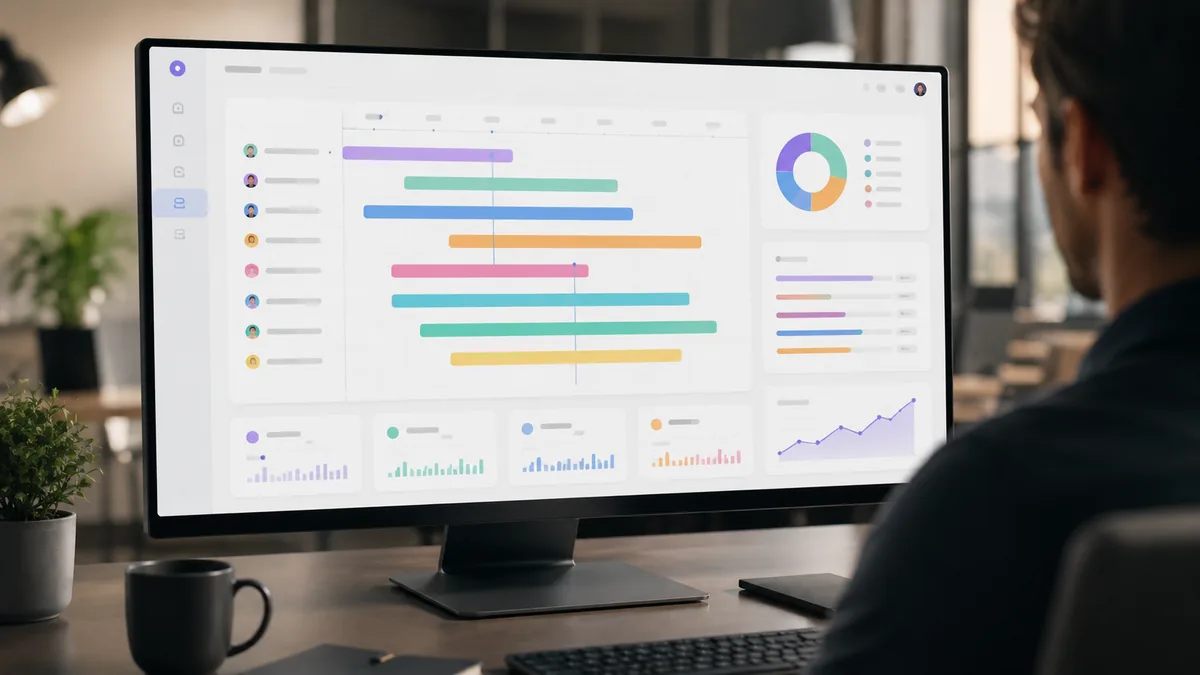
The category covers three related but distinct jobs that any tool should handle to be useful:
- Resource scheduling — deciding which person works on which project, in what week, for how many hours. The tactical, day-to-day allocation problem.
- Resource forecasting — projecting capacity needs 1-12 months ahead based on the project pipeline and known constraints. The strategic, hiring-and-pricing problem.
- Capacity planning — the broader discipline of matching the supply of skilled people to the demand of project work, accounting for skills, billable rates, time-off, holidays, and learning curves.
The best 2026 tools handle all three in one platform. The thinnest tools handle only one and pretend to handle the others. The biggest mistake teams make when shopping is assuming a project management tool (Asana, ClickUp, monday.com) is also a resource management tool — the surface looks similar but the core math is different.
What Changed in Resource Management Software in 2026
- AI-driven predictive capacity planning is the new standard. Tools like Runn, Float, Productive, and Kantata now use historical project data and skill graphs to predict which projects will hit capacity walls weeks before traditional tools would surface the conflict. This is the single biggest functional shift in the category since 2020.
- 10000ft Plans was acquired by Smartsheet in 2019 and its functionality is now part of Smartsheet's broader Resource Management offering. The standalone 10000ft brand has been retired.
- Mavenlink rebranded to Kantata after merging with Kimble Applications. Functionality remains intact; the brand is the change.
- Hybrid and async work normalized the time-zone planning problem. Tools that don't show overlap windows and per-person availability by time zone are now functionally obsolete for distributed teams.
- Integration with the rest of the stack is mandatory. Slack and Microsoft Teams notifications, Jira and Linear ticket sync, GitHub commit data, and time-tracking tool integrations are the baseline expectation in 2026 — not premium features.
Best Resource Management Software in 2026
Fifteen tools, verified live in May 2026 against current pricing, AI features, and integration support. Reviews lean toward what these tools are actually best at — not their marketing-page claims.
1. Float
The category's most polished visual scheduler. Drag-and-drop interface, real-time capacity tracking, utilization reporting, and a clean mobile app. 2026 added AI-driven workload balancing suggestions and budget-forecast features. Best for: agencies and creative teams that schedule by person and want a visual calendar-first interface. Pricing: from $7.50/user/month. Float.
2. Resource Guru
Simplicity-first resource scheduling, particularly well-loved by small and mid-sized teams. Heatmap dashboards, conflict detection, leave management, and clean booking workflows. Less ambitious than Float and Runn on forecasting, but the fastest tool to onboard a team into. Pricing: from $5/user/month. Resource Guru.
3. Runn
The AI-powered tool that's eaten a lot of Float's enterprise market in 2024-2026. Strength is forecasting — six to twelve months ahead, with scenario planning for what-if analysis (what happens to capacity if we win the proposal? if we hire two more developers?). Real-time dashboards for billable hours and profitability. Best for: agencies, consultancies, and professional services firms that bill by the hour and need strategic capacity visibility. Pricing: from $10/user/month. Runn.
4. Productive
The agency operating system. Combines resource scheduling, project management, time tracking, budgeting, and billing in one platform. The integration of capacity planning with revenue forecasting is the key differentiator — you can see how scheduling decisions cascade into next-quarter revenue. Best for: digital agencies and consultancies that want to consolidate multiple tools into one. Pricing: from $9/user/month. Productive.
5. Kantata (formerly Mavenlink)
Enterprise-grade professional services automation (PSA). Combines finance, project, and resource management for large teams (typically 100+ professional services staff). Deep BI / reporting capabilities. Best for: larger consultancies and professional services organizations with complex resource forecasting and financial reporting needs. Pricing: custom quote (enterprise pricing tier). Kantata.
6. Saviom
Enterprise resource management with strong forecasting capabilities, skill matching, and what-if scenario modeling. Heavyweight relative to Float / Resource Guru, but solid for organizations that need granular skill-based allocation across hundreds of resources. Best for: large enterprises with complex skill matrices. Pricing: custom. Saviom.
7. Epicflow
Multi-project resource and capacity management with strong priority-management features. Useful when you're running 20+ concurrent projects and need to make resource decisions based on cross-project priority rather than just per-project schedule. Best for: engineering-heavy organizations with many concurrent projects. Epicflow.
8. Hub Planner
Resource scheduling, time tracking, and reporting in one. UI is dated relative to Float, but it's customizable and the scheduling logic is solid. Best for: teams that want to do reporting in-platform without exporting to BI tools. Pricing: from $7/user/month. Hub Planner.
9. Teamdeck
Resource management combined with time tracking and timesheet management. Strong reporting feature set. The bundling of resource scheduling and timesheets in one tool is unusual and useful for teams that want to compare planned vs. actual hours without integrating separate tools. Pricing: from $4/user/month (cheapest of the serious contenders). Teamdeck.
10. Mosaic
One of the newer entrants (founded 2020) that has gained traction with agency and professional services firms. Real-time resource planning, capacity forecasting, and a clean modern UI. Strong AI-driven assignment suggestions. Best for: agencies wanting a modern alternative to Float with deeper forecasting. Mosaic.
11. Smartsheet Resource Management (formerly 10000ft Plans)
After Smartsheet acquired 10000ft in 2019, the resource management functionality was rebuilt into Smartsheet's broader platform. If your team is already on Smartsheet for project management, this is the path of least resistance for adding resource management. If you're not, the standalone Smartsheet resource planning experience is competent but not best-in-class. Smartsheet.
12. Birdview PSA
End-to-end professional services automation with strong project visibility and financial alignment. Newer brand awareness than Kantata but increasingly competitive at the upper end of the market. Birdview PSA.
13. Toggl Plan
From the makers of Toggl Track. Lighter-weight than Float — visual timeline-based planning, simple drag-and-drop, very fast to onboard. Best for: small teams that want simple capacity scheduling without enterprise features. Pricing: from $9/user/month. Toggl Plan.
14. monday.com Resource Management
Not a pure resource management tool, but the resource view in monday.com has matured enough that for teams already on monday.com for project management, it can replace a separate tool. Best for: teams that prefer one tool that handles many jobs adequately rather than several tools that each handle one job well. monday.com.
15. ClickUp Resource Planning
Similar story to monday.com. ClickUp has added resource management views to its broader platform. Not as deep as Float or Runn at forecasting, but solid if you're already on ClickUp for tasks and projects. ClickUp.
The AI Features That Actually Matter in 2026
Every resource management tool now claims AI on its marketing page. A short translation of which AI features are functionally useful versus marketing fluff:
- Useful: Predictive capacity planning. The tool learns from your historical project data and surfaces "you will be over capacity in week 7" warnings before they happen. Runn, Productive, and Mosaic do this well.
- Useful: Intelligent assignment matching. Given a new project requirement, the tool suggests which available people have the right skills, the right capacity, and the right billing rate. The best implementations actually weight all three factors.
- Useful: Early risk detection. Flagging projects that are about to slip based on scheduled vs. actual progress trends. Float and Mosaic have invested heavily here.
- Useful: Scenario planning. "If we win Project X, what happens to our capacity over the next 6 months? What if we hire two more designers in Q3?" Runn is the leader on this specifically.
- Marketing fluff: "AI-powered" basic auto-allocation. If the only AI feature is filling in default values, it's not adding meaningful capability.
- Marketing fluff: "AI insights" that just rephrase existing reports. If the AI feature produces sentences about your data that you could have read from a chart, it's a wrapper, not real predictive analysis.
Choosing the Right Resource Management Software by Use Case
For digital agencies and creative teams
Float or Productive. Float wins on visual scheduling and simplicity; Productive wins if you need profitability and revenue forecasting integrated. Both work cleanly with hybrid teams.
For consultancies and professional services firms
Runn for forecasting-led decision making, or Kantata if you're large enough (100+ professional services staff) to need full PSA. Both handle billable rates and utilization tracking well.
For in-house engineering / product teams
Resource Guru for simplicity, or Epicflow if you're running many concurrent projects and need cross-project priority management. In-house teams usually don't need PSA-level depth.
For freelancers and small teams (under 10 people)
Teamdeck for the lowest pricing tier or Toggl Plan for the cleanest UI. Avoid PSA-level tools; the complexity-to-value ratio is wrong at this scale.
For teams already using monday.com / ClickUp / Smartsheet
Use the resource management features inside those platforms first. The case for adding a dedicated tool is real, but the implementation cost of integrating two systems is often higher than the value of a slightly better scheduling UX. Try the in-platform version before you spend.
For enterprises with complex skill-matching needs
Saviom or Kantata. Both handle granular skill graphs and multi-region resource pools at scale. Expect 3-6 month implementation timelines.
Comparison Table: 2026 Resource Management Software
| Tool | Starting Price | Best For | AI Features | Standout Strength |
|---|---|---|---|---|
| Float | $7.50/user/mo | Agencies, creative teams | AI workload balancing | Visual scheduling, mobile app |
| Resource Guru | $5/user/mo | Small to mid teams | Heatmaps, conflict detection | Fastest onboarding |
| Runn | $10/user/mo | Agencies, professional services | Yes (forecasting-focused) | 6-12 month scenario planning |
| Productive | $9/user/mo | Digital agencies | Yes (capacity + revenue) | Schedule-to-revenue link |
| Kantata (Mavenlink) | Custom quote | Large consultancies (100+) | Yes (enterprise PSA) | Finance + project + resource in one |
| Saviom | Custom quote | Enterprises, complex skills | Yes (scenario modeling) | Skill-based allocation depth |
| Epicflow | Custom quote | Engineering, many projects | Yes (priority-aware) | Cross-project priority logic |
| Hub Planner | $7/user/mo | Teams needing in-tool reporting | Partial | Customizable reports |
| Teamdeck | $4/user/mo | Cost-sensitive teams | No | Resource + timesheets bundled |
| Mosaic | From $9.99/user/mo | Modern agencies | Yes (assignment matching) | Newer entrant, clean UI |
| Smartsheet RM | Part of Smartsheet | Smartsheet customers | Partial | Native if already on Smartsheet |
| Birdview PSA | Custom quote | Mid-size professional services | Yes | Strong financial visibility |
| Toggl Plan | $9/user/mo | Small teams, simple needs | No | Fastest to learn |
| monday.com RM | Part of monday.com | monday.com customers | Partial | Native if already on monday.com |
| ClickUp Resource | Part of ClickUp | ClickUp customers | Partial | Native if already on ClickUp |
Integrations That Matter in 2026
Resource management tools don't live alone. The integrations that actually move the needle on day-to-day usefulness:
- Slack and Microsoft Teams — for capacity-conflict notifications and scheduling-change alerts. Without this, people don't see scheduling updates until they open the tool.
- Jira and Linear — for syncing ticket assignments with capacity views. Engineering-heavy teams need this; otherwise capacity in the resource tool doesn't reflect what people actually have on their plate.
- Google Calendar / Outlook — for blocking calendar time according to the resource schedule. Reduces meeting-overload that resource tools alone can't see.
- Time tracking (Harvest, Toggl Track, Clockify) — for closing the loop between scheduled hours and actual hours. Without this, capacity reporting is wishful thinking.
- Accounting / billing (QuickBooks, Xero) — for converting scheduled billable hours into invoiced revenue. Required for agencies and consultancies.
- HR systems (BambooHR, Workday) — for syncing time-off and leave automatically into capacity calculations.
For a current demo perspective on how the top resource planning tools work in practice, this Runn overview is one of the clearest current intros to the category:
Implementation Tips: Making the Tool Actually Stick
Resource management software fails — not technically, but adoption-wise — more often than any other category we cover. People stop entering data, the schedule drifts from reality, and within three months the team is back to spreadsheets. Patterns that separate successful rollouts from failed ones in 2026:
- Start with a single team or department. Rolling out resource management to the whole organization on day one is the most common failure mode. Get one team using it well, then expand.
- Make the schedule the source of truth. If managers still assign work in Slack DMs without updating the tool, the tool is a parallel system that no one trusts. Pick one source-of-truth process and stick to it.
- Define what "scheduled" means. Is it tentative? Confirmed? Blocked? Most tools support a status taxonomy. Use it deliberately.
- Run a weekly capacity review. 30 minutes once a week to review the next 4 weeks of schedule, surface conflicts, and resolve them. Without this ritual, the tool doesn't catch issues early enough.
- Connect time-tracking from week one. Plan-vs-actual reporting only works if actuals are flowing in. Without it, the tool produces capacity plans no one trusts.
- Pick one financial KPI to track. Utilization rate, billable hours percentage, or capacity forecast accuracy. Pick one, watch it monthly, and make decisions against it.

FAQ: Resource Management Software in 2026
- What is the difference between resource management and project management software?
Project management software (Asana, Jira, ClickUp, monday.com) focuses on tasks — who needs to do what, when, in what order. Resource management software focuses on people and capacity — who has time, with the right skills, to be assigned to new work. Most teams need both; some platforms (monday.com, ClickUp, Smartsheet) increasingly do both adequately, while specialists (Float, Runn, Resource Guru) do resource management much better.
- What's the best resource management software in 2026?
It depends on the team. For digital agencies and creative teams: Float or Productive. For consultancies and professional services: Runn or Kantata. For small teams: Resource Guru or Teamdeck. For enterprises with complex skill needs: Saviom or Kantata. There is no single best tool; the best is the one that fits your operating model.
- Is resource management software worth it for a small team?
If the team is fewer than 5 people and runs fewer than 3 concurrent projects, a spreadsheet probably still works. Once you have 5-10 people across 5+ concurrent projects, the manual-tracking cost (missed conflicts, over-allocated team members, missed billable hours) exceeds the tool cost. Most teams hit that threshold faster than they realize.
- What is resource scheduling?
The tactical day-to-day allocation of specific people to specific work in specific time windows — e.g., "Sara works on Project A for 20 hours next week, Project B for 15 hours." Resource scheduling software handles this with calendar views, drag-and-drop interfaces, and conflict detection.
- What is resource forecasting?
The strategic projection of capacity needs and supply 1-12 months ahead, based on the current project pipeline, known hires, time-off, and historical patterns. Forecasting answers questions like "Can we accept the project starting in November?" or "When do we need to start hiring?"
- What is capacity planning?
The broader management discipline of matching supply (skilled, available people) to demand (project work) over time. Resource scheduling and forecasting are tactical pieces of capacity planning. Good tools support all three.
- How is AI being used in resource management software in 2026?
The four genuinely useful AI applications are: (1) predictive capacity planning — warning weeks in advance about over-capacity periods, (2) intelligent assignment matching — suggesting which available person fits a new request based on skills, capacity, and billing rate, (3) early risk detection — flagging projects likely to slip based on scheduled-vs-actual trends, and (4) scenario planning — "what if we win this project / hire two people / lose a contractor." Runn, Productive, Float, and Mosaic lead on these in 2026.
- What happened to 10000ft Plans?
10000ft Plans was acquired by Smartsheet in 2019. The functionality was rebuilt into Smartsheet's broader Resource Management feature set. The standalone 10000ft brand is retired. If you're already on Smartsheet, Smartsheet's resource management is the natural successor.
- What happened to Mavenlink?
Mavenlink merged with Kimble Applications and rebranded as Kantata. Functionality remains intact; the platform continues to serve large professional services organizations. The brand and URL is the change.
- Is resource management software the same as time tracking software?
No. Time tracking software (Toggl Track, Harvest, Clockify) records what people actually worked on. Resource management software plans what people will work on. Most teams use both, with the time-tracking tool integrated into the resource tool so plan-vs-actual reporting works.
- What is the cheapest resource management software in 2026?
Teamdeck at $4/user/month is the cheapest paid option among reputable tools. Resource Guru starts at $5/user/month. For free, the resource view inside Trello / monday.com / ClickUp can work at small scale, though they're limited compared to dedicated tools.
- Can resource management software handle remote and hybrid teams?
Yes — this is now baseline functionality, not a premium feature. Float, Runn, Productive, Resource Guru, and most modern tools handle time-zone-aware scheduling, async availability windows, and per-person working hours. Tools that don't are functionally obsolete for distributed teams.
- How long does it take to implement resource management software?
For small teams using lightweight tools (Float, Resource Guru, Teamdeck): 1-2 weeks to working state, 4-6 weeks to fully adopted. For enterprise PSA tools (Kantata, Saviom): 3-6 months for full rollout including integration with finance and HR systems. The most common cause of slower-than-expected implementations is integration with existing time-tracking and accounting tools, not the resource tool itself.
- Should we build our own resource management tool in a spreadsheet?
Almost always: no. The build is fast; the maintenance cost is the killer. Spreadsheets don't notify Slack when a conflict appears, don't sync with time tracking, and require manual updates that no one does consistently. The opportunity cost of building and maintaining a custom spreadsheet system is almost always higher than the subscription cost of a dedicated tool. Make-vs-buy makes sense only for genuinely unusual operating models.
- What is the best resource management software for agencies?
For agencies specifically: Float (best visual scheduling), Productive (best schedule-to-revenue integration), Runn (best forecasting), or Mosaic (best AI-driven assignment matching). All four have agency-first feature sets. The choice depends on whether your bottleneck is scheduling, profitability, forecasting, or assignment matching.
Editor's Note
This guide is maintained by the SaveDelete editorial team. The original article was published November 2018 and covered 10 tools with brief descriptions. This 2026 rewrite reflects substantial change in the category: AI-driven capacity planning has become the new standard at the top of the market, several tools have been acquired or rebranded (10000ft → Smartsheet, Mavenlink → Kantata), hybrid work has made time-zone-aware scheduling a baseline expectation, and the integration story (Slack, Jira, time-tracking, accounting) has become as important as the core scheduling features. Every tool above was verified live and accurate to its current 2026 pricing in May 2026. We update this guide quarterly.
Conclusion
Choosing resource management software in 2026 is mostly an operating-model question, not a feature-checklist question. If your team is small and you mostly need visual scheduling, Float or Resource Guru solve the problem quickly. If you're running an agency where capacity decisions drive revenue, Runn or Productive's forecasting depth pays for itself. If you're at enterprise scale with complex skill matching, Kantata or Saviom are built for that level. The biggest mistake teams make is treating this category like project management software — the math underneath is different, and the tools that look superficially similar handle that math very differently. Start with the team's actual scheduling pain, pick a tool that solves that pain specifically, and resist the urge to over-buy on features you won't use in the first year.