Free Website Design Templates & UI Kits (PSD, Figma & HTML)
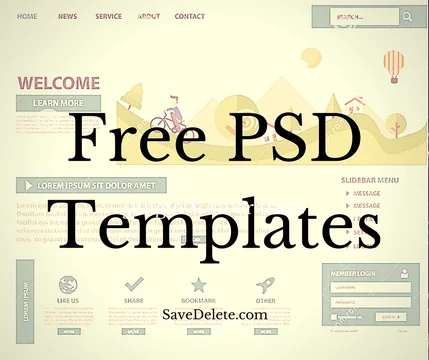
Free website design resources — from PSD templates to modern Figma files, UI kits and mockups — let designers and developers start from a polished base instead of a blank canvas. While the classic PSD format has largely given way to Figma, there's still a wealth of free, high-quality web design templates out there. Here are the best places to download free website design templates and UI kits, and how to choose.
Best Free Web Design Resource Sites at a Glance
| Source | Best For |
|---|---|
| Figma Community | Free Figma UI kits & templates |
| Freepik | PSD & vector templates |
| Behance | Designer freebies |
| UI8 (free section) | Premium-quality UI kits |
| HTML5 UP | Ready-to-use HTML templates |
1. Figma Community — Best for Modern UI Templates
Figma has become the industry standard for web and UI design, and its Community is a goldmine of free templates, UI kits, wireframes and design systems shared by designers worldwide. You can duplicate any file to your own account and start editing instantly — the modern replacement for downloading PSDs.
2. Freepik — Best for PSD and Vector Templates
If you still want classic PSD website templates, Freepik has one of the largest libraries of free PSDs, vectors and mockups. Many resources are free with attribution, and a premium plan removes limits — handy for landing-page designs, banners and UI mockups.
3. Behance — Best for Designer Freebies
Adobe's Behance is full of designers sharing free resources, including web templates, UI kits and PSD/Figma files attached to their portfolio projects. Search "free template" or "freebie" and you'll find high-quality, original designs you won't see anywhere else.
4. UI8 & Dribbble — Best for Premium-Quality UI Kits
UI8 offers a rotating selection of free, professional UI kits and templates alongside its premium catalogue, while Dribbble is a hub where designers post freebies and attachments. Both are great for modern, designer-grade interface templates.
5. HTML5 UP & Colorlib — Best for Ready-to-Use Templates
If you'd rather skip the design file and grab a working website, HTML5 UP and Colorlib provide free, fully responsive HTML/CSS templates you can deploy immediately. They're ideal when you want a finished site rather than a design to build from.
PSD vs Figma: What Should You Use Today?
For years, PSD (Photoshop) files were the standard for sharing web designs, and you'll still find plenty of free PSD templates on sites like Freepik. However, most modern web design has moved to Figma, which is browser-based, collaborative and free to start. If you're learning or working with a team today, Figma templates are the better long-term choice — but PSD resources remain useful for quick mockups and graphics.
Frequently Asked Questions
Where can I download free website templates?
For editable design files, Figma Community, Freepik, Behance and UI8 offer free templates and UI kits. For ready-to-use websites, HTML5 UP and Colorlib provide free, responsive HTML templates you can deploy right away.
Are PSD website templates still used?
Less than before. The web design industry has largely shifted from PSD (Photoshop) to Figma, which is collaborative and browser-based. You can still find plenty of free PSD templates on sites like Freepik, but Figma is the modern standard.
Are free design templates okay for commercial use?
It depends on the licence. Many free resources allow commercial use with attribution, while others are personal-use only. Always check the specific licence on the file before using it in a paid or client project.
What's the best free tool to edit these templates?
Figma is the best free option for editing modern UI templates, running in your browser. For PSD files, you can use Photoshop or free alternatives like Photopea, a browser-based editor that opens PSDs directly.
Final Thoughts
Free web design templates can save you hours, whether you need a Figma UI kit, a PSD mockup or a ready-to-launch HTML site. Start with Figma Community for modern templates, Freepik for PSDs, and HTML5 UP for finished sites — and always check the licence before using a design commercially.