25 Excellent Adobe Flash Tutorials to Create Menus And Navigation
By Jaspal Singh
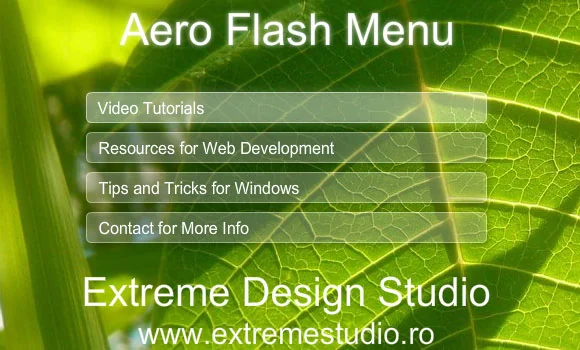
Navigation and Menus plays important roles in websites. If a web site is easy to use, user friendly and understandable, user will come back again. It gives best look to website while using flash based navigation and menus.
Websites navigation and menus bars are important parts of every website design. In old days all webmaster used JavaScript to create pull down menus. It needs high knowledge of scripting to get right code and design. Some time it arise problem of incompatibility between different browsers.
Now-a-days all webmaster are using flash navigation instead of JavaScript. Because it provide better browser compatibility, easy to load and easy maintenance. It also gives good appearance and creative design.
To create Flash navigation or Menus you have to go through following list and they provide you various types of flash navigation and menus tutorials, which are easy to understand. It is possible for beginner and non-programmer to build own menus style.
Here you have list of 25 different Flash navigation and Menus tutorials you can simply choose a readymade navigation from the list.


1. Rotating Menu Via Actionscript 3
2. Colorful Menu with XML and Actionscript 3
3. Modern Photography Menu with Filter Effects
4. Glow Flash Menu
5. Shaky Flash Menu with ActionScript 3
6. Create a Mac Dock Style Menu with AS3
7. Advanced XML Menu with Actionscript 3
8. Blue flash menu with sound
9. Infinite Gallery / Menu
10. Vista Menu in Flash
11. Glass Aero Flash Menu with Fade Effect
12. Modern Horizontal Flash Menu
13. Very Advanced Business Flash Menu
14. Black and orange flash menu
15. Cubic menu
16. Animated Menu in Flash CS3
17. Funky Flash Website Tutorial
18. Advanced flash menu with effects and sound
19. Black Menu Flash Tutorial
20. Wooden flash menu
21. Advanced DD Menu Flash Tutorial
22. Vertical Menu with Actionscript 3 and XML
23. Trendy photography flash menu with sound and URL
24. Professional Menu with Effects in Flash CS3
25. Full flash menu with sound and url