20 Tools to Help you Create Quick Websites by Checking Site Loading Speed
By Jaspal Singh
Every internet user wants fast loading of web pages. A fast loading time increases your efficiency and improves the performance. The performance of your website is related to its usability and finally the success of your website. Every web designer and every webmaster must know how important is the web page loading speed for the online user experience.
Website speed is a major part of optimizing your websites for users and search engines. If your site takes to a lot of time to load it’s completely sure that you will movable many of your visitors before they reach your content at all. For this reason, in this post I have collected some free online website speed testing tools, which can give you an overview and suggestion on how you can make your site load faster.
Here we describe 20 tools which help you create quick websites and let you identify bottlenecks in website performance. You can also use these tools for website speed-testing.
 Page Speed Online — Google Developers
Page Speed Online is offered by Google. The performance of your website is analyzed by this tool under the Web Performance Practices of Google.
This web tool gives information on web performance. A report is given on best practices of mobile device for maximum performance.
Page Speed Online — Google Developers
Page Speed Online is offered by Google. The performance of your website is analyzed by this tool under the Web Performance Practices of Google.
This web tool gives information on web performance. A report is given on best practices of mobile device for maximum performance.
 Pingdom Tools
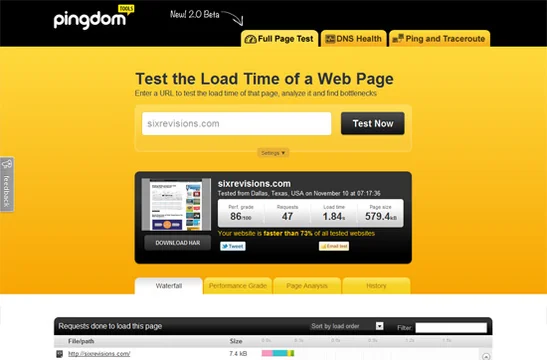
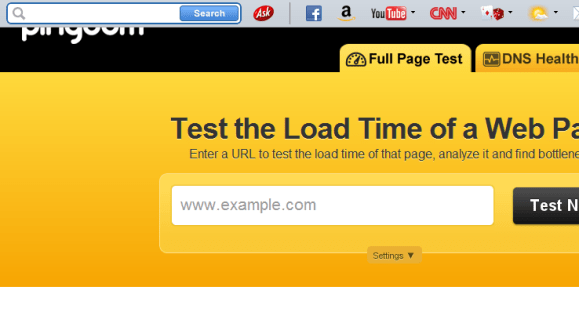
This tool offered by Pingdom gives various reports, for example, a summary on how much time is taken by a webpage object ( like JavaScript libraries, style sheets and images) to download. It also gives performance grades for browser caching etc. A web page analysis is provided which includes details on page requests, page size and load time.
Pingdom Tools
This tool offered by Pingdom gives various reports, for example, a summary on how much time is taken by a webpage object ( like JavaScript libraries, style sheets and images) to download. It also gives performance grades for browser caching etc. A web page analysis is provided which includes details on page requests, page size and load time.
 Free Website Performance Test
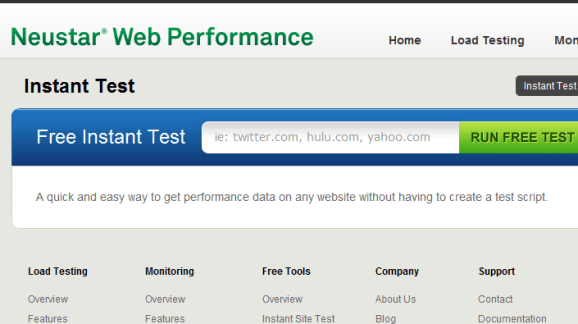
It is a website performance and speed testing tool. BrowserMob monitors and tests the website, provides you information on the web page speed, for example, page weight, load time, page objects etc. The web page is analyzed from different locations that gives a global analysis of the performance of your website.
Free Website Performance Test
It is a website performance and speed testing tool. BrowserMob monitors and tests the website, provides you information on the web page speed, for example, page weight, load time, page objects etc. The web page is analyzed from different locations that gives a global analysis of the performance of your website.
 Which loads faster
This tool compares the loading time of two websites. For example if you compare Google with Bing, it can determine which website loads faster. It is an effective tool and it can be used to determine if your website is giving a better or worse performance than its competitors. This tool was especially designed to showcase the significance of web performance.
Which loads faster
This tool compares the loading time of two websites. For example if you compare Google with Bing, it can determine which website loads faster. It is an effective tool and it can be used to determine if your website is giving a better or worse performance than its competitors. This tool was especially designed to showcase the significance of web performance.
 WebPagetest - Website Performance and Optimization Test
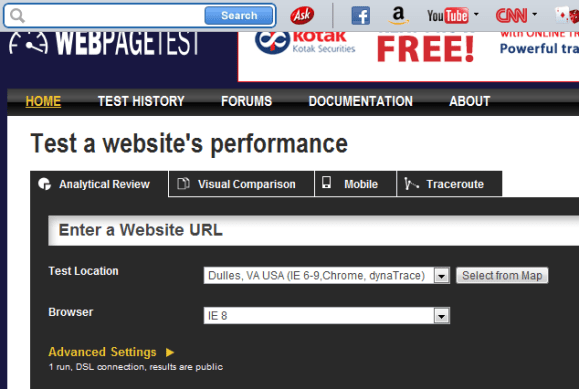
The speed of your website is checked in browsers such as Internet Explorer, Firefox and Chrome. This tool gives you an option to perform this test from any location across the world. Various advanced settings are offered by this tool for ad-blocking. This gives you performance cost for running advertisements on your website.
WebPagetest - Website Performance and Optimization Test
The speed of your website is checked in browsers such as Internet Explorer, Firefox and Chrome. This tool gives you an option to perform this test from any location across the world. Various advanced settings are offered by this tool for ad-blocking. This gives you performance cost for running advertisements on your website.
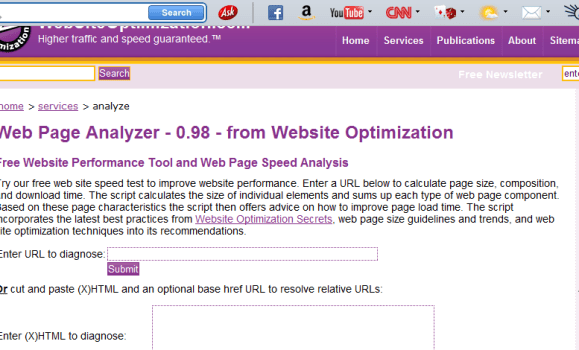 Web Page Analyzer - free website optimization tool website speed test check website performance report from web site optimization
It is a very simple tool which analyzes the speed of your web page. This tool was introduced in 2003. It provides information on the load time of web page, its size and assets. Various recommendations are given by this tool to make things better.
Web Page Analyzer - free website optimization tool website speed test check website performance report from web site optimization
It is a very simple tool which analyzes the speed of your web page. This tool was introduced in 2003. It provides information on the load time of web page, its size and assets. Various recommendations are given by this tool to make things better.
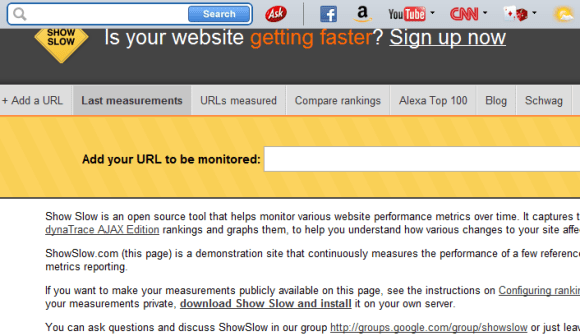 Show Slow
 is an open source tool that helps monitor various website performance metrics over time. It captures the results of YSlow, Page Speed and dynaTrace AJAX Edition rankings and graphs them, to help you understand how various changes to your site affect its performance.
Show Slow
Show Slow is an open source tool that helps monitor various website performance metrics over time. It captures the results of YSlow, Page Speed and dynaTrace AJAX Edition rankings and graphs them, to help you understand how various changes to your site affect its performance.
 Site-Perf.com - Know all about your site performance
Relevant information is provided by this tool on the loading time of your web page such as total connections made, total requests made and the download time.
Certain additional features are provided by the tool such as simulating various internet connections. You can also test a web page that has an HTTP authentication. You only need to type the password.
Site-Perf.com - Know all about your site performance
Relevant information is provided by this tool on the loading time of your web page such as total connections made, total requests made and the download time.
Certain additional features are provided by the tool such as simulating various internet connections. You can also test a web page that has an HTTP authentication. You only need to type the password.
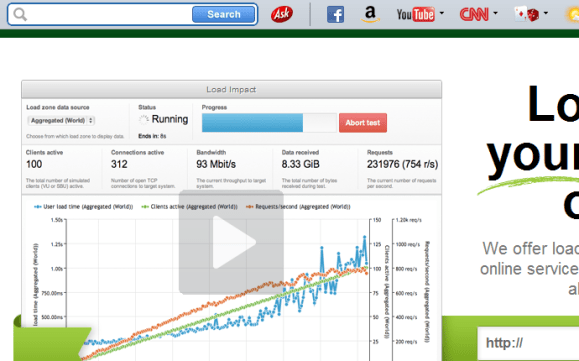 Load Impact - On Demand Website Load Testing and Performance Testing Service
This tool provides information on how the website traffic is handled by your website. The information is presented in graphs such as requests made in a second and loading time for the users. This helps you in determining the ability of your website to handle various webpage requests.
Load Impact - On Demand Website Load Testing and Performance Testing Service
This tool provides information on how the website traffic is handled by your website. The information is presented in graphs such as requests made in a second and loading time for the users. This helps you in determining the ability of your website to handle various webpage requests.
 OctaGate SiteTimer
It is a simple online tool. It gives you results for the URL you wish to test. A bar graph is displayed that includes the information on the start and end times of the download and the duration. This tool identifies the page objects which are loaded slowly. These can be optimized so that the website speed is increased.
Few More Website Speed Testing Tools to Check Out
Web Site Performance Test (Gomez) – It is a web performance tool that gives you information on connection and look up time of DNS.
WebWait – It is a basic timer that determines the website speed. It provides options to specify intervals between each requests and determining the request count.
Website Speed Test (Searchmetrics) – This tool provides information on the speed of your web page. This includes loading time for different internet connections.
Webslug – Two websites are compared simultaneously in terms of performance.
Website Speed Test (WebToolHub) – This online tool provides information on load time, page size, average speed and download speed in the form of tables.
GTmetrix – It is a tool that analyzes your website’s performance by using PageSpeed and Yslow. The information is presented in an easy-to-understand format.
Yottaa Site Speed Optimizer - This tool provides extensive and comprehensive reports. Data is provided on your web page performance. You need to register to use this tool.
Site Speed Checker – This website speed testing tool allows you to test 10 URLs simultaneously.
Zoompf Free Web Performance Scan – The web pages are scanned by the tool and a data is provided on your web performance. You need to give details of your email id to use this tool.
Free Website Speed Test (Self SEO) – выгодный кредит на квартируYou can test 10 URLs simultaneously with this website speed testing tool.
OctaGate SiteTimer
It is a simple online tool. It gives you results for the URL you wish to test. A bar graph is displayed that includes the information on the start and end times of the download and the duration. This tool identifies the page objects which are loaded slowly. These can be optimized so that the website speed is increased.
Few More Website Speed Testing Tools to Check Out
Web Site Performance Test (Gomez) – It is a web performance tool that gives you information on connection and look up time of DNS.
WebWait – It is a basic timer that determines the website speed. It provides options to specify intervals between each requests and determining the request count.
Website Speed Test (Searchmetrics) – This tool provides information on the speed of your web page. This includes loading time for different internet connections.
Webslug – Two websites are compared simultaneously in terms of performance.
Website Speed Test (WebToolHub) – This online tool provides information on load time, page size, average speed and download speed in the form of tables.
GTmetrix – It is a tool that analyzes your website’s performance by using PageSpeed and Yslow. The information is presented in an easy-to-understand format.
Yottaa Site Speed Optimizer - This tool provides extensive and comprehensive reports. Data is provided on your web page performance. You need to register to use this tool.
Site Speed Checker – This website speed testing tool allows you to test 10 URLs simultaneously.
Zoompf Free Web Performance Scan – The web pages are scanned by the tool and a data is provided on your web performance. You need to give details of your email id to use this tool.
Free Website Speed Test (Self SEO) – выгодный кредит на квартируYou can test 10 URLs simultaneously with this website speed testing tool.
1. Page Speed Online
Page Speed Online — Google Developers
Page Speed Online is offered by Google. The performance of your website is analyzed by this tool under the Web Performance Practices of Google.
This web tool gives information on web performance. A report is given on best practices of mobile device for maximum performance.
2. Pingdom Tools
Pingdom Tools
This tool offered by Pingdom gives various reports, for example, a summary on how much time is taken by a webpage object ( like JavaScript libraries, style sheets and images) to download. It also gives performance grades for browser caching etc. A web page analysis is provided which includes details on page requests, page size and load time.
3. Free Website Performance Test (BrowserMob)
Free Website Performance Test
It is a website performance and speed testing tool. BrowserMob monitors and tests the website, provides you information on the web page speed, for example, page weight, load time, page objects etc. The web page is analyzed from different locations that gives a global analysis of the performance of your website.
4. Which loads faster?
Which loads faster
This tool compares the loading time of two websites. For example if you compare Google with Bing, it can determine which website loads faster. It is an effective tool and it can be used to determine if your website is giving a better or worse performance than its competitors. This tool was especially designed to showcase the significance of web performance.
5. WebPagetest
WebPagetest - Website Performance and Optimization Test
The speed of your website is checked in browsers such as Internet Explorer, Firefox and Chrome. This tool gives you an option to perform this test from any location across the world. Various advanced settings are offered by this tool for ad-blocking. This gives you performance cost for running advertisements on your website.
6. Web Page Analyzer
Web Page Analyzer - free website optimization tool website speed test check website performance report from web site optimization
It is a very simple tool which analyzes the speed of your web page. This tool was introduced in 2003. It provides information on the load time of web page, its size and assets. Various recommendations are given by this tool to make things better.
7. Show Slow
Show Slow
Show Slow is an open source tool that helps monitor various website performance metrics over time. It captures the results of YSlow, Page Speed and dynaTrace AJAX Edition rankings and graphs them, to help you understand how various changes to your site affect its performance.
8. Site-Perf
Site-Perf.com - Know all about your site performance
Relevant information is provided by this tool on the loading time of your web page such as total connections made, total requests made and the download time.
Certain additional features are provided by the tool such as simulating various internet connections. You can also test a web page that has an HTTP authentication. You only need to type the password.
9. Load Impact
Load Impact - On Demand Website Load Testing and Performance Testing Service
This tool provides information on how the website traffic is handled by your website. The information is presented in graphs such as requests made in a second and loading time for the users. This helps you in determining the ability of your website to handle various webpage requests.
10. OctaGate SiteTimer
OctaGate SiteTimer
It is a simple online tool. It gives you results for the URL you wish to test. A bar graph is displayed that includes the information on the start and end times of the download and the duration. This tool identifies the page objects which are loaded slowly. These can be optimized so that the website speed is increased.
Few More Website Speed Testing Tools to Check Out
Web Site Performance Test (Gomez) – It is a web performance tool that gives you information on connection and look up time of DNS.
WebWait – It is a basic timer that determines the website speed. It provides options to specify intervals between each requests and determining the request count.
Website Speed Test (Searchmetrics) – This tool provides information on the speed of your web page. This includes loading time for different internet connections.
Webslug – Two websites are compared simultaneously in terms of performance.
Website Speed Test (WebToolHub) – This online tool provides information on load time, page size, average speed and download speed in the form of tables.
GTmetrix – It is a tool that analyzes your website’s performance by using PageSpeed and Yslow. The information is presented in an easy-to-understand format.
Yottaa Site Speed Optimizer - This tool provides extensive and comprehensive reports. Data is provided on your web page performance. You need to register to use this tool.
Site Speed Checker – This website speed testing tool allows you to test 10 URLs simultaneously.
Zoompf Free Web Performance Scan – The web pages are scanned by the tool and a data is provided on your web performance. You need to give details of your email id to use this tool.
Free Website Speed Test (Self SEO) – выгодный кредит на квартируYou can test 10 URLs simultaneously with this website speed testing tool.