How To Watch Xvid (AVI) Movies On Your Apple iPad For Free
By Jaspal Singh
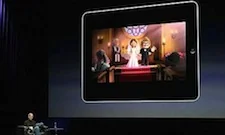
Apple iPad, those who have love it and those who don't have - envy it. A revolutionary product in the tablet PC history. Crystal clear bright display, lots of smashing iPad apps from iTunes store, horizontal and vertical viewing and many other features makes it top selling product in the Apple history.
Apple iPad is also nice mobile multimedia player out there. Every iPad owner loves to listen music and watch videos on their devices. Even we shared best free music iPad apps with our readers some days ago which are friendly and easy to use.
But when it comes to video viewing on your iPad, it's disappointing because of limited number of video file formats Apple iPad supports. Before watching any video, you have to convert that into iPad vide format, i.e,. MP4, MOV, M4v video formats. Thanks to free softwares that are available to convert any video into iPad video format. Aleesoft Free iPad Video converter is one of the software that allows you to convert any video into Apple iPad video format very easily and efficiently.
But, is it time taking process and annoying too that we have to convert every video into iPad video format. Enter, CineXPlayer, an iPad video player that allows you to play Xvid (AVI) video format. It is free app to use and you can start by copying videos to your iPad by way of iTunes File Sharing feature.
 Main features of CineXPlayer, an iPad video player :
 You can also check the video below for How to load Xvid movies using iTunes :
http://www.youtube.com/watch?v=xAI2V5q-4Bs&feature=player_embedded
Conclusion :
By using CineXPlayer, you can watch your favorite collection of movies anytime, anywhere and without any need of internet connection. As this is the free app, I think this is worth checking out and you should grab it as soon as possible.
Direct Link to Download CineXPlayer App
You can also check the video below for How to load Xvid movies using iTunes :
http://www.youtube.com/watch?v=xAI2V5q-4Bs&feature=player_embedded
Conclusion :
By using CineXPlayer, you can watch your favorite collection of movies anytime, anywhere and without any need of internet connection. As this is the free app, I think this is worth checking out and you should grab it as soon as possible.
Direct Link to Download CineXPlayer App
Main features of CineXPlayer, an iPad video player :
- Transfer your Xvid movies to your device instantly (no conversion needed)
- Play your movies anywhere, anytime - even when you have no Internet connection (in a train, a car, a plane…)
- Enjoy the full quality and cinema experience
- Full Resume Function
- Swipe to Delete (to manage movies)
You can also check the video below for How to load Xvid movies using iTunes :
http://www.youtube.com/watch?v=xAI2V5q-4Bs&feature=player_embedded
Conclusion :
By using CineXPlayer, you can watch your favorite collection of movies anytime, anywhere and without any need of internet connection. As this is the free app, I think this is worth checking out and you should grab it as soon as possible.
Direct Link to Download CineXPlayer App