10 Alternatives to Gmail
By Jaspal Singh
Using Gmail doesn't have to be a 'given' when choosing an email account. There are features that it doesn't offer, or you may just not like the idea of going with a large company for your email needs.
Here are ten alternatives to using Gmail that may be right up your alley.
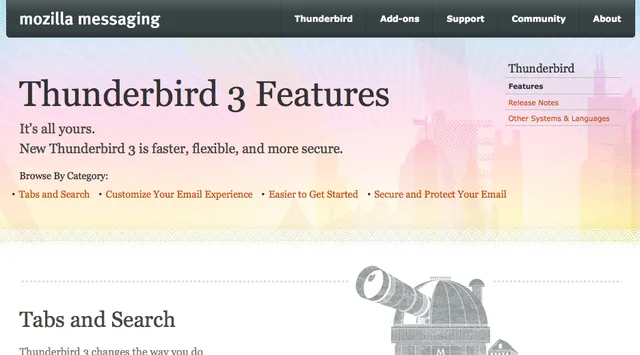
1. Thunderbird - Thunderbird's easy installation process will have you up and running in no time. The program itself automatically updates, protects you against phishing attacks and strives hard to reduce any spam that may strike your email doorstep. The software is open source, so new add-ons and plug-ins are being created all the time.
 2. GMX - Gather all of your email accounts into one with a GMX account. Access your mail from your phone or web browser. You can store up to 5GB in your personal email account with 50MB allotted for any one message. GMX's servers run on green electricity generated from renewable energy.
 3. FastMail - FastMail offers business email and free personal email. Some features of the free account include 25MB email storage and the ability to make instant photo galleries. You have plenty of domain names to choose from if you don't like Fastmail.fm.
 4. Yahoo Mail - It is easy to see why Yahoo Mail has been a perennial favorite. You can attach files up to 25MB and check your mail on the go. Yahoo Mail's best features are the functionality that you can find in your inbox. You can add and edit Flickr images, you can send files up to 100MB easily through drop.io, and you can even send money through Paypal within your Yahoo Mail account.
 5. Hotmail - Microsoft Hotmail includes plenty of features, including advanced spam protection and emailing on the go. You can check the email from any separate accounts that you have so everything is in one place.
 6. Zoho Mail - There free version of Zoho mail offers personalized email addresses, instant messaging with the popular IM accounts and no advertisements. Zoho is offered both remotely and offline, so you can compose your messages to perfection before sending them into the world.
 7. Lavabit - Lavabit's basic account offers virus protection, 128MB of storage and up to 64MB in your outgoing message size. You can encrypt your files before sending them across the internet. Lavabit even offers antiviral protection.
 8. Bigstring - BigString lets you retrieve your emails before they get read, destroy emails, recall or change them. You have full control, including print control and storage control. You can set a limit on the number of times that your recipient looks at the email that you've set, or even prints it. Finally, you have full email control.
 9. Windows Live Mail - You can access all of your email accounts through Windows Live Mail and you are offered the security and protection of spam filtering on all of those accounts. This email system really shines with its event sharing features. You can access your calendars online or offline, even remotely. Your events can be shared with the rest of the world and you can synchronize your calendar with your friends.
 10. Hushmail - Hushmail adds PGP (pretty good protection) encryption to every email that goes out and still remains easy to use. The application works on the BlackBerry and IPhone as well as offering Optional Outlook Integration. You can keep your data and email safe from prying eyes with the world's most secure web based free email service.
 These email applications bring features to the table that Gmail doesn't offer. If you are dissatisfied with your Gmail account, give one of these a try.
This is a Guest Post by James Adams. He is an analyst and blogger working for Cartridge Save where he analyzes products such as the HP 339. He also helps to maintain their design blog.
These email applications bring features to the table that Gmail doesn't offer. If you are dissatisfied with your Gmail account, give one of these a try.
This is a Guest Post by James Adams. He is an analyst and blogger working for Cartridge Save where he analyzes products such as the HP 339. He also helps to maintain their design blog.
2. GMX - Gather all of your email accounts into one with a GMX account. Access your mail from your phone or web browser. You can store up to 5GB in your personal email account with 50MB allotted for any one message. GMX's servers run on green electricity generated from renewable energy.
3. FastMail - FastMail offers business email and free personal email. Some features of the free account include 25MB email storage and the ability to make instant photo galleries. You have plenty of domain names to choose from if you don't like Fastmail.fm.
4. Yahoo Mail - It is easy to see why Yahoo Mail has been a perennial favorite. You can attach files up to 25MB and check your mail on the go. Yahoo Mail's best features are the functionality that you can find in your inbox. You can add and edit Flickr images, you can send files up to 100MB easily through drop.io, and you can even send money through Paypal within your Yahoo Mail account.
5. Hotmail - Microsoft Hotmail includes plenty of features, including advanced spam protection and emailing on the go. You can check the email from any separate accounts that you have so everything is in one place.
6. Zoho Mail - There free version of Zoho mail offers personalized email addresses, instant messaging with the popular IM accounts and no advertisements. Zoho is offered both remotely and offline, so you can compose your messages to perfection before sending them into the world.
7. Lavabit - Lavabit's basic account offers virus protection, 128MB of storage and up to 64MB in your outgoing message size. You can encrypt your files before sending them across the internet. Lavabit even offers antiviral protection.
8. Bigstring - BigString lets you retrieve your emails before they get read, destroy emails, recall or change them. You have full control, including print control and storage control. You can set a limit on the number of times that your recipient looks at the email that you've set, or even prints it. Finally, you have full email control.
9. Windows Live Mail - You can access all of your email accounts through Windows Live Mail and you are offered the security and protection of spam filtering on all of those accounts. This email system really shines with its event sharing features. You can access your calendars online or offline, even remotely. Your events can be shared with the rest of the world and you can synchronize your calendar with your friends.
10. Hushmail - Hushmail adds PGP (pretty good protection) encryption to every email that goes out and still remains easy to use. The application works on the BlackBerry and IPhone as well as offering Optional Outlook Integration. You can keep your data and email safe from prying eyes with the world's most secure web based free email service.
These email applications bring features to the table that Gmail doesn't offer. If you are dissatisfied with your Gmail account, give one of these a try.
This is a Guest Post by James Adams. He is an analyst and blogger working for Cartridge Save where he analyzes products such as the HP 339. He also helps to maintain their design blog.